How to Buy Crypto on Highrollz With Swapped.com: Beginner Step-by-Step Guide
New to crypto? Learn how to buy cryptocurrency with fiat using the Swapped.com purchase flow on Highrollz, choose the correct coin and network, copy your deposit address safely, and fund your Highrollz balance step by step.
How to Buy Crypto on Highrollz With Swapped.com: Beginner Step-by-Step Guide
If you have never used cryptocurrency before and normally only pay with traditional money such as EUR, USD, GBP or another fiat currency, this guide is for you.
You do not need to already own Bitcoin, Ethereum, USDC or another cryptocurrency before using Highrollz.
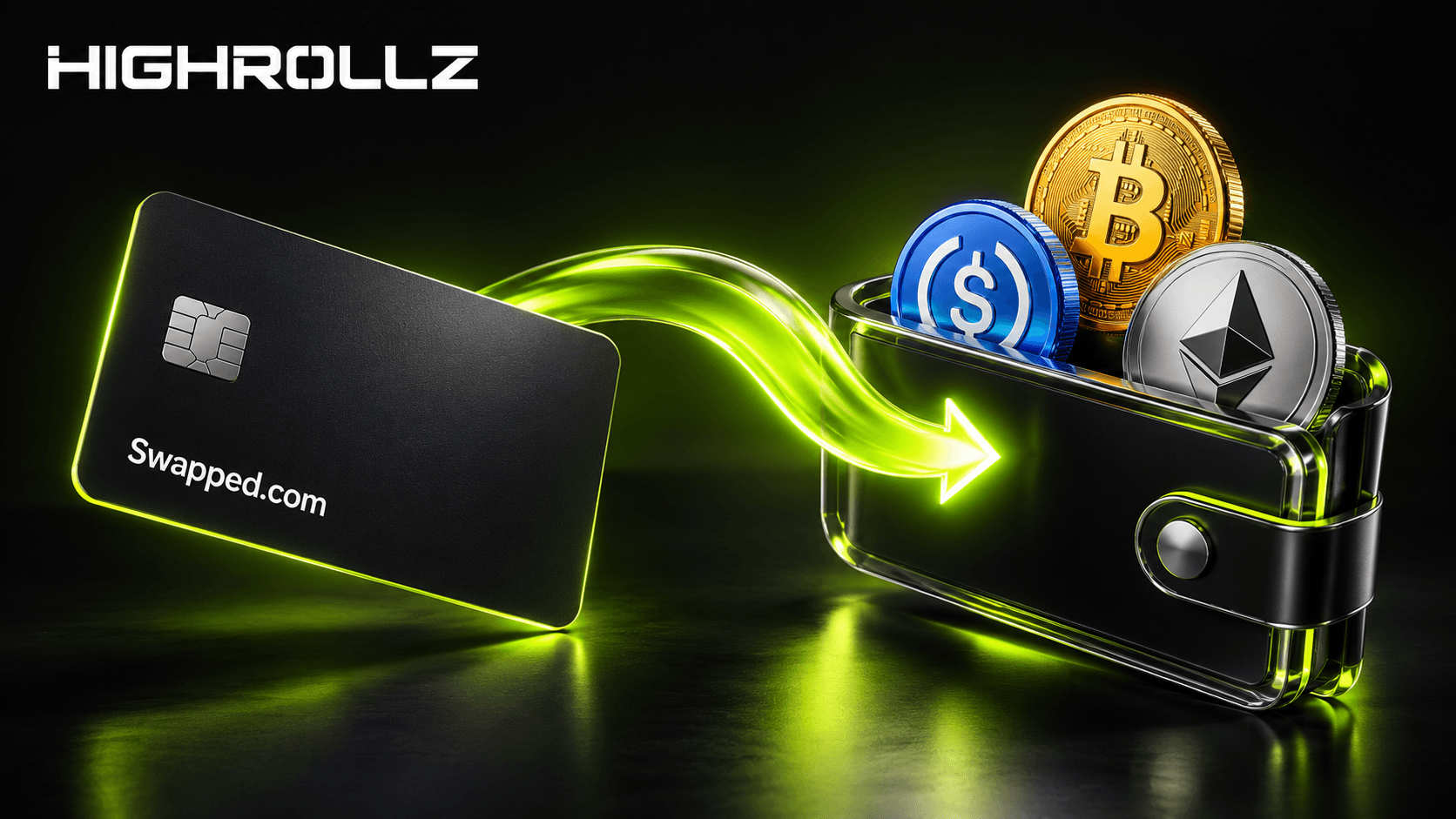
Through the Buy Crypto option on Highrollz, you can use the third-party provider Swapped.com to purchase cryptocurrency using available fiat payment methods and have the purchased crypto sent to your Highrollz deposit address.
The process is straightforward, but there is one extremely important rule:
THE CRYPTOCURRENCY, BLOCKCHAIN NETWORK AND DEPOSIT ADDRESS YOU SELECT MUST MATCH.
Crypto transactions can be difficult or impossible to reverse after they are sent. If you select the wrong network or enter the wrong address, your funds may not arrive correctly and recovery may not always be possible.
Do not worry if terms like USDC, Solana, wallet address, network or stablecoin are completely new to you. We will explain everything in simple language and walk through the entire process step by step.
What Are You Actually Doing?
The easiest way to understand the process is to think about it like this:
You choose which cryptocurrency you want to receive on Highrollz.
Highrollz gives you a unique crypto deposit address.
You copy that address.
You open Buy Crypto on Highrollz.
You choose the same cryptocurrency and network.
You paste your Highrollz deposit address.
Swapped.com guides you through purchasing the crypto using fiat.
Once the purchase and blockchain transfer are completed, the crypto is sent to your Highrollz account.
You are essentially buying crypto from a third-party provider and telling that provider:
"Send the cryptocurrency I just bought directly to this Highrollz wallet address."
What Is Fiat Currency?
Fiat is simply normal government-issued money.
Examples include:
US Dollar (USD)
Euro (EUR)
British Pound (GBP)
Canadian Dollar (CAD)
Australian Dollar (AUD)
And other traditional currencies
If you are used to paying with a card, bank account or another traditional payment method, you are used to dealing with fiat.
What Is Cryptocurrency?
Cryptocurrency is digital money or a digital asset that can be transferred using blockchain networks.
Examples supported by Highrollz include cryptocurrencies such as:
Bitcoin (BTC)
Ethereum (ETH)
Solana (SOL)
USDC
USDT
BNB
TRX
Litecoin (LTC)
You do not need to understand the technical details of blockchain technology to buy and use crypto on Highrollz.
You mainly need to understand three things:
Which cryptocurrency you are buying
Which blockchain network you are using
Which deposit address the crypto should be sent to
Our Beginner Recommendation: Consider USDC on Solana
If you are completely new to cryptocurrency, you may prefer using a stablecoin rather than a cryptocurrency such as Bitcoin or Ethereum.
One option you can consider is:
USDC using the Solana network.
There are two main reasons this can be easier for beginners.
1. USDC Is a Stablecoin
USDC is designed to remain close to the value of one US dollar.
That makes the value easier to understand.
For example:
Approximately 10 USDC is designed to be worth around $10
Approximately 100 USDC is designed to be worth around $100
Approximately 500 USDC is designed to be worth around $500
Bitcoin, Ethereum and Solana themselves can move significantly in price.
If you buy $500 worth of Bitcoin, that BTC may later be worth more or less depending on the market.
With USDC, the value is designed to remain much closer to the US dollar.
This can make it easier to understand your casino balance and separate your gambling results from cryptocurrency price movements.
2. Solana Is Generally Fast and Low-Cost
Solana is a blockchain network known for relatively fast transfers and relatively low transaction costs.
That can make USDC on Solana a practical option for users who simply want to buy crypto, send it to Highrollz and start using their balance.
Important: USDC can exist on more than one blockchain. If you choose USDC on Solana inside Highrollz, you must also choose USDC on the Solana network when completing the purchase.
What Is a Blockchain Network?
This is one of the most important concepts for beginners.
A cryptocurrency can sometimes exist on multiple blockchain networks.
Think of the cryptocurrency as the money and the blockchain network as the road used to deliver it.
For example, you might choose:
USDC → Solana network
If Highrollz gives you a USDC deposit address specifically for the Solana network, the crypto must be sent using that same supported network.
Do not choose a different network simply because it looks cheaper or faster.
The network shown on the Highrollz deposit screen is the network you need to follow.
What Is a Crypto Deposit Address?
A crypto deposit address is the destination where your cryptocurrency will be sent.
It usually looks like a long combination of letters and numbers.
For example, it may look something like:
ABC123xyz456...
This is only an example. Never send cryptocurrency to an example address.
Highrollz will display your real deposit address inside your account.
Think of this address like bank account details for a crypto transfer.
When you purchase cryptocurrency through Swapped.com, you need to tell Swapped.com where the purchased crypto should be delivered.
That is why you first need to get the correct deposit address from your Highrollz wallet.
Before You Start: The Most Important Rule
DO NOT START BY RANDOMLY BUYING CRYPTO.
First, go to the Deposit section inside Highrollz.
This allows you to decide exactly:
Which cryptocurrency you want
Which blockchain network you need
Which Highrollz address should receive it
Only after you have this information should you move to the Buy Crypto section.
Step 1: Log In to Highrollz
Start by logging in to your Highrollz account.
Once logged in, open your Wallet.
You should see options such as:
Deposit
Withdraw
Buy Crypto
For now, start with Deposit.
Step 2: Open the Deposit Tab
Inside your Highrollz wallet, select the Deposit tab.
This is where Highrollz shows the cryptocurrencies and blockchain networks currently available for your account.
Always rely on the options displayed inside your Highrollz wallet rather than assuming a particular cryptocurrency or network is supported.
Step 3: Choose the Cryptocurrency You Want to Buy
Now choose the cryptocurrency you want to purchase.
For a beginner, we suggest considering:
USDC
USDC is a stablecoin designed to remain close to $1, which makes your balance easier to understand.
For example, if you want approximately $250 worth of crypto, buying around 250 USDC makes the amount intuitive.
You do not have to use USDC. You can choose another cryptocurrency supported by Highrollz if you prefer.
Step 4: Choose the Blockchain Network
After selecting the cryptocurrency, check which blockchain network you want to use.
For our beginner example, we will use:
USDC → Solana
This means you are buying USDC and asking for it to be delivered through the Solana blockchain.
Write this down mentally:
Coin: USDC
Network: Solana
You will need to select the same combination later.
Step 5: Copy Your Highrollz Deposit Address
Once you have selected the coin and network, Highrollz will display a deposit address.
Use the Copy button rather than trying to type the address manually.
This address is where the crypto you purchase needs to be delivered.
Do not modify the address.
Do not remove characters.
Do not add spaces.
Do not type it manually unless absolutely necessary.
The safest approach is to use the copy button provided by Highrollz.
Step 6: Double-Check What You Selected
Before leaving the deposit screen, check everything again.
For our example, you should have:
| Item | Example Selection |
|---|---|
| Cryptocurrency | USDC |
| Blockchain Network | Solana |
| Destination | Your copied Highrollz deposit address |
Keep this exact combination in mind when you move to Buy Crypto.
Step 7: Go to the Buy Crypto Tab
Now go back to your Highrollz wallet and open the Buy Crypto tab.
This is where you can start the purchase process provided through Swapped.com.
You are still using Highrollz to access the flow, but the cryptocurrency purchase itself is handled by a third party.
Important: Swapped.com Is a Third-Party Provider
Your crypto purchase is processed by Swapped.com, an independent third-party provider.
This means aspects of the purchase process may be controlled by Swapped.com rather than Highrollz.
This can include things such as:
Available fiat currencies
Available payment methods
Purchase limits
Fees
Exchange rates
Identity verification requirements
Supported countries or regions
Transaction approval
Processing times
Highrollz does not control Swapped.com's approval process, pricing, verification requirements or payment-method availability.
You should review the information displayed by Swapped.com carefully before completing your purchase.
Step 8: Select the SAME Cryptocurrency Again
Inside the Buy Crypto flow, select the same cryptocurrency you selected earlier.
In our example:
Select USDC.
If you copied a USDC deposit address from Highrollz, do not now choose Bitcoin, Ethereum, USDT or another token.
The cryptocurrency you buy must match the cryptocurrency you selected in the Highrollz Deposit tab.
Step 9: Select the SAME Network Again
This is one of the most important steps.
If you selected:
USDC → Solana
inside the Highrollz Deposit tab, you must select the corresponding USDC on Solana option in the purchase flow when available.
Do not select another network by mistake.
COIN + NETWORK MUST MATCH THE HIGHROLLZ DEPOSIT DETAILS EXACTLY.
Why Does This Matter So Much?
Imagine someone gives you an address in New York.
Then instead of sending the package to New York, you send it through a completely different delivery system that does not recognize the destination properly.
Crypto networks can work in a similar way.
The address and the blockchain network need to be compatible.
Choosing the wrong network can cause the funds not to arrive correctly.
In some cases, recovering incorrectly sent crypto may be difficult or impossible.
Step 10: Enter How Much You Want to Buy
Now enter the amount of fiat currency you want to spend.
For example, you might decide to purchase:
€50
€100
€250
€500
The available minimum and maximum amounts may depend on Swapped.com, your payment method, region, and other factors.
You should be shown an estimate of how much cryptocurrency you will receive before completing the transaction.
Remember that:
The amount you pay in fiat and the amount of crypto you receive may differ slightly because of exchange rates, provider fees or other displayed charges.
Step 11: Paste the Highrollz Deposit Address
Remember the deposit address you copied earlier?
This is where you use it.
Paste the address into the wallet address or destination address field in the purchase flow.
Do not paste an address from another wallet.
Do not use an address from an old transaction unless you have confirmed it is still the correct address shown by Highrollz.
Do not manually type the address if you can avoid it.
Step 12: Verify the Address After Pasting
Do not immediately continue after pasting the address.
Check it.
A good habit is to compare:
The first several characters
The last several characters
with the address displayed inside your Highrollz Deposit tab.
For example, if your Highrollz address starts with:
8Hd7...
and ends with:
...K91x
make sure the address you pasted into the purchase flow starts and ends the same way.
Always verify the pasted address before paying.
Why Check an Address You Just Copied?
Because crypto transfers are designed to be final.
It is also good security practice to verify copied addresses in case:
You copied the wrong address
You still had an older address in your clipboard
You selected the wrong cryptocurrency
You are using the wrong network
Your device has a security issue
Taking a few seconds to check can prevent a much bigger problem later.
Step 13: Review Everything Before Continuing
Before you continue to payment, check all four of these:
| Check | What You Should Confirm |
|---|---|
| Cryptocurrency | It matches the coin selected in Highrollz Deposit. |
| Network | It matches the network displayed by Highrollz. |
| Address | It matches your Highrollz deposit address. |
| Purchase Amount | You are comfortable with the amount, rate and any displayed fees. |
If any of these do not match, stop and correct them before paying.
Step 14: Follow the Swapped.com Instructions
Once your cryptocurrency, network, address and amount are correct, continue through the Swapped.com purchase process.
Swapped.com will guide you through the remaining steps.
Depending on your country, payment method, transaction size and other factors, you may be asked for information or verification.
Simply follow the instructions shown on screen.
This may involve:
Providing basic personal information
Selecting an available payment method
Completing any required verification
Reviewing the purchase amount
Reviewing the cryptocurrency amount you will receive
Reviewing applicable fees or rates
Authorizing your fiat payment
Only proceed when you are comfortable with the information displayed by the third-party provider.
Step 15: Complete Your Fiat Payment
Follow the payment instructions provided by Swapped.com.
The available payment method depends on what Swapped.com offers for your location and transaction.
Highrollz does not control which payment methods Swapped.com makes available.
Before confirming your payment, review the final purchase details one more time.
Step 16: Swapped.com Purchases the Crypto
After your fiat payment has been successfully processed and any required checks have been completed, Swapped.com handles the cryptocurrency purchase.
You do not need to manually convert the fiat into crypto yourself.
You also do not need to create another crypto wallet just to complete this flow if the purchased cryptocurrency is being sent directly to the Highrollz address you provided.
Step 17: The Crypto Is Sent to Your Highrollz Deposit Address
Swapped.com then sends the purchased cryptocurrency to the destination address you entered.
If you followed our example, that means:
Fiat money → Swapped.com purchase → USDC on Solana → your Highrollz USDC Solana deposit address.
The transfer then travels through the blockchain network.
Step 18: Wait for the Crypto to Arrive
The cryptocurrency may not appear in your Highrollz balance the exact second you complete the fiat payment.
There are several stages involved:
Your fiat payment must be processed.
Any required provider checks must be completed.
The cryptocurrency purchase must be completed.
The crypto must be sent to the address you provided.
The blockchain transaction must be processed.
Highrollz must detect and credit the supported deposit.
Processing time can therefore vary.
Do not make another purchase simply because the first one does not appear immediately.
Step 19: Check Your Highrollz Balance
Once the transaction has been completed and credited, the cryptocurrency should appear in your Highrollz balance.
You can then use your available balance across eligible Highrollz products.
This can include:
Online casino
Live casino
Highrollz Originals
Sportsbook
Live betting
Esports
The Entire Process in One Simple Example
Imagine you have never bought crypto before and want to add approximately $200 to Highrollz.
You decide to use USDC because you want something easy to understand.
Your process would look like this:
| Step | What You Do |
|---|---|
| 1 | Open Highrollz Wallet → Deposit. |
| 2 | Select USDC. |
| 3 | Select Solana as the supported network. |
| 4 | Copy your Highrollz USDC Solana deposit address. |
| 5 | Open Highrollz Wallet → Buy Crypto. |
| 6 | Select USDC on the corresponding Solana network option. |
| 7 | Enter approximately $200 as your purchase amount. |
| 8 | Paste the Highrollz address you copied earlier. |
| 9 | Check coin + network + address carefully. |
| 10 | Follow Swapped.com's instructions and complete your fiat payment. |
| 11 | Swapped.com processes the purchase and sends the USDC. |
| 12 | Once processed and credited, the USDC appears in your Highrollz balance. |
Why We Recommend Stablecoins for Beginners
If your goal is simply to fund your Highrollz account, stablecoins can make the process easier to understand.
Consider the difference:
| Feature | USDC | Bitcoin |
|---|---|---|
| Value | Designed to remain close to $1 | Market price can move significantly |
| Easy Dollar Comparison | Yes | Requires converting BTC value mentally or through an app |
| Price Volatility | Designed to be low | Can be high |
If you purchase 500 USDC, you can generally think of it as roughly $500 worth of crypto.
That simplicity can make bankroll management easier for someone using cryptocurrency for the first time.
You can learn more in our guide to what USDC is and our guide to how stablecoins work.
Why We Like USDC on Solana for This Use Case
For users who simply want to move from fiat into crypto and fund Highrollz, USDC on Solana can offer a straightforward combination:
USDC: designed to stay close to $1
Solana: generally fast
Solana: generally relatively inexpensive for transfers
USDC: easy to understand in dollar-equivalent terms
This is a recommendation for simplicity, not a requirement.
If you prefer Bitcoin, Ethereum, USDT, SOL or another supported asset, you can use another available option.
What If I Select the Wrong Cryptocurrency?
Stop before making the payment.
If your Highrollz deposit page says:
USDC
but the Buy Crypto screen says:
USDT
those are different cryptocurrencies.
Do not continue.
Return to the relevant screen and make sure both selections match.
What If I Select the Wrong Network?
Again, stop before paying.
If your Highrollz deposit address is shown for USDC on Solana, do not intentionally select another network unless Highrollz explicitly shows that network for the address you are using.
The safest rule is simple: copy the coin and network exactly from the Highrollz Deposit tab.
What If I Paste the Wrong Address?
Do not complete the purchase.
Return to Highrollz, copy the correct deposit address again, and replace the incorrect one.
Crypto transfers can be difficult or impossible to reverse once sent.
Checking the address before payment is far easier than attempting to recover an incorrect transaction afterward.
Can Highrollz Reverse a Crypto Transaction?
Once cryptocurrency has been sent through a blockchain, Highrollz may not be able to reverse the transaction.
Blockchain transactions do not work like card payments where a simple chargeback or cancellation may sometimes be available.
That is why the address and network checks are so important.
What If the Crypto Does Not Appear Immediately?
Do not panic.
The purchase can pass through several different stages before appearing in your account.
Check whether:
Your fiat payment completed successfully
Swapped.com is still processing the purchase
Additional verification is required
The crypto transaction has already been sent
The blockchain transaction is still processing
If there is an issue specifically with the fiat purchase or third-party processing, you may need to follow the support instructions provided by Swapped.com.
Who Do I Contact If Something Goes Wrong?
That depends on where the issue occurs.
If the problem relates to:
Your fiat payment
Swapped.com verification
Purchase approval
A declined payment
Third-party purchase status
the issue may need to be handled through Swapped.com.
If the cryptocurrency has already been successfully sent to the correct Highrollz deposit address but is not showing in your account, Highrollz support can help investigate the deposit status.
Do I Need to Create a Crypto Wallet First?
Not necessarily for this specific purchase flow.
If Swapped.com allows you to purchase the cryptocurrency and send it directly to your Highrollz deposit address, the Highrollz address acts as the destination for your purchase.
However, understanding how wallets work is still useful if you plan to use cryptocurrency regularly.
Read our guide to what a crypto wallet is if you want to learn the basics.
Do I Need a Seed Phrase?
No.
You do not need a seed phrase to send purchased cryptocurrency directly to your Highrollz deposit address through this process.
If anyone unexpectedly asks you to provide a seed phrase in order to complete a normal Highrollz deposit, stop.
Seed phrases are highly sensitive wallet recovery credentials.
Learn more in our guide to seed phrases.
Do I Need a Private Key?
No.
You should not need to provide a private key for this process.
A private key controls a crypto wallet and should remain secret.
Read our guide to crypto private keys for more information.
Common Beginner Mistakes to Avoid
Before buying cryptocurrency, avoid these common mistakes:
Buying the cryptocurrency before checking which asset and network Highrollz supports
Selecting USDT when your deposit address is for USDC
Selecting the wrong blockchain network
Typing a wallet address manually instead of copying it
Failing to check the pasted address
Making a second purchase because the first one has not arrived immediately
Ignoring the provider's displayed fees or exchange rate
Assuming Highrollz controls Swapped.com's verification or payment process
Your 30-Second Safety Checklist
Before confirming your purchase, ask yourself:
Is the cryptocurrency exactly the same?
Is the blockchain network exactly the same?
Did I copy the address from my current Highrollz Deposit screen?
Did I paste the complete address?
Did I compare the beginning and end of the address?
Do I understand how much fiat I am spending?
Did I review the amount of crypto I am expected to receive?
Did I review any fees shown by Swapped.com?
If the answer to all of these is yes, you are ready to continue.
Frequently Asked Questions About Buying Crypto on Highrollz
Can I buy crypto if I have never used cryptocurrency before?
Yes. The Buy Crypto flow is designed to allow users to purchase cryptocurrency using available fiat payment methods through a third-party provider.
What crypto should a beginner buy for Highrollz?
You can use any supported option you are comfortable with. For simplicity, beginners may consider a stablecoin such as USDC. Where available and supported, USDC on Solana can be convenient because USDC is designed to remain close to $1 while Solana generally offers fast, relatively low-cost transfers.
Why should I choose USDC instead of Bitcoin?
You do not have to. The advantage of USDC for a beginner is that its value is designed to remain close to the US dollar, making your balance easier to understand. Bitcoin can move significantly in price.
Do I buy the crypto directly from Highrollz?
No. The cryptocurrency purchase is handled by Swapped.com, an independent third-party provider accessible through the Highrollz Buy Crypto flow.
Does Highrollz control Swapped.com's fees?
No. Third-party fees, rates, payment methods, verification requirements, transaction limits and availability are determined by Swapped.com.
What do I need to do before opening Buy Crypto?
First open Highrollz Wallet → Deposit. Select your cryptocurrency and network, then copy the deposit address shown. You will need those exact details when buying the crypto.
Why do I need to select the coin twice?
The first selection tells Highrollz which type of crypto you want to deposit and generates the appropriate deposit details. The second selection tells Swapped.com which cryptocurrency you want to purchase.
Why do I need to copy my Highrollz deposit address?
Swapped.com needs to know where to send the cryptocurrency after you purchase it. Your Highrollz deposit address provides that destination.
Can I use a different network if it is cheaper?
No, not unless that network is specifically supported and matches the deposit details shown by Highrollz. The sending and receiving networks need to be compatible.
What happens if I choose the wrong network?
Your funds may not arrive correctly and recovery can sometimes be difficult or impossible. Always use the exact supported network shown in your Highrollz Deposit tab.
What happens if I enter the wrong wallet address?
The crypto may be sent to the wrong destination. Because blockchain transfers can be difficult or impossible to reverse, always copy and verify the address carefully before paying.
How long does it take for the crypto to appear?
Timing can vary because the fiat payment, third-party processing, possible verification, cryptocurrency purchase, blockchain transfer and Highrollz deposit processing all need to be completed.
Do I need a crypto wallet?
Not necessarily if you are purchasing through the available flow and sending the cryptocurrency directly to your Highrollz deposit address.
Do I need a seed phrase or private key?
No. You should not need to provide a seed phrase or private key to complete this process.
Can I buy USDC directly for my Highrollz account?
Where USDC and the required network are available through the purchase provider, you can select USDC, paste the matching Highrollz deposit address, and follow the provider's instructions to complete the purchase.
The Most Important Thing to Remember
If you remember nothing else from this guide, remember this:
FIRST SELECT THE CRYPTOCURRENCY AND NETWORK INSIDE YOUR HIGHROLLZ DEPOSIT TAB.
THEN COPY THE HIGHROLLZ DEPOSIT ADDRESS.
THEN OPEN BUY CRYPTO AND SELECT THE SAME CRYPTOCURRENCY AND THE SAME NETWORK.
PASTE THE ADDRESS YOU COPIED FROM HIGHROLLZ AND CHECK IT BEFORE COMPLETING YOUR PURCHASE.
That is the core of the entire process.
If you are new to crypto and want to keep things simple, consider using a stablecoin such as USDC. Where available, USDC on Solana can provide an easy-to-understand dollar-linked balance together with generally fast and relatively low-cost blockchain transfers.
After you complete the steps required by Swapped.com and the transaction is successfully processed, the purchased cryptocurrency is sent to the Highrollz deposit address you provided and can then be credited to your Highrollz balance.
Always check the coin, network and address before paying. Cryptocurrency transfers can be irreversible.
Play responsibly and only gamble with funds you can afford to lose.
